3 Google My Business novelties you'd better take advantage of soon!

Have you ever felt that, in addition to running your business, you simply don’t have the capacity to keep up with new developments and exploit their potential?
However, it is extremely important to keep up with changes, as this is how you can easily gain a market advantage.
To save you time and energy, we have collected 3 novelties that will allow you to easily get ahead of your dormant competitors!
As Google has recently implemented some previously started updates concerning Google My Business, we have compiled them in a separate post. Two updates related to statistics have arrived, thanks to which we can get even more accurate data on the performance of our business, and a completely new function has also been activated.
You can read about these below.
Search term statistics
The first major update is the appearance of search terms.
Within the “Statistics” menu item, it is now available for us to see exactly what keywords our company appeared for in the Google system, and for how many users. We can also get the data in three timeframes, from which we can choose.
These are the following:

This can be set directly above the searches, so it’s immediately at hand and greatly facilitates the analysis of statistical data. The aforementioned interface looks like this:
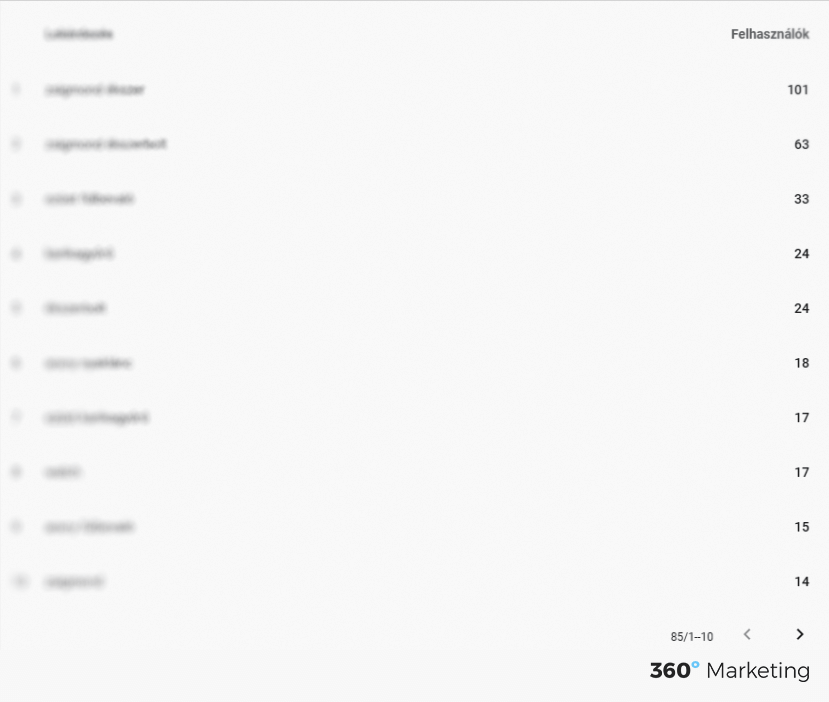
In the well-organised, clean-designed table, we can see two columns, “Queries” and “Users”. The former shows the keyword for which our business appeared, while the latter shows the number of queries related to the search term.
It is worth monitoring this data, as we can now get accurate data on the performance of our business in the Google Local Business system.
Branded searches
The next innovation is branded searches. Here, the already known diagram has been supplemented. Namely, the “Direct” and “Discovery” options have been supplemented with the new “Branded” searches. This is indicated in orange on the diagram. When we hover the cursor over the mentioned area, the exact search number also appears.
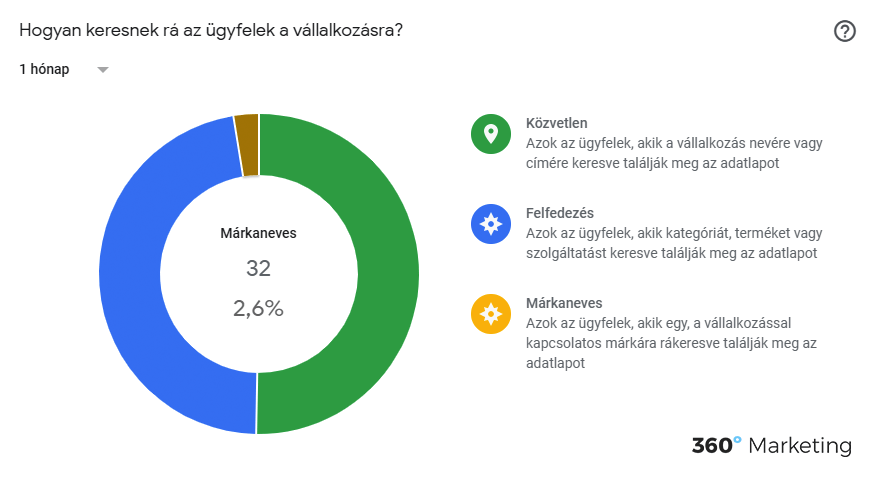
With this new feature, we can perfectly measure the performance of our business’s brand within Google My Business. We should also continuously monitor this, as we can draw conclusions about how well-known our company is and how much users search for our company.
Messages for businesses
The last novelty to be presented may already be familiar from Facebook. This is none other than “Messaging”.

With this innovation, interested parties can contact us much more easily. When sending a message, we can also place pre-defined questions at the first interaction, so the user does not have to write it, but they can also ask a different question than the pre-written ones.
Try to answer quickly, Google explains this by saying:
“Customers trust quick responses – no one likes to wait long for their questions to be answered. During your business hours listed on your profile, try to answer customer questions as quickly as possible.
When customers send you a message, they will see your average response time. (You can also view this on the “Messaging” card in the Home menu.)”
How does it work?
Once you’ve enabled messaging, customers will see the “Message” button on your Google My Business profile. So now you’re ready to receive messages from your customers:
- Messages sent by your customers will not only appear within the Google My Business app, but you will also receive notifications about them. Thanks to this, you can answer everything in time!
- Similar to a Chatbot, you can easily and simply customise the automatic messages that your customers receive when they first contact you!
- If your Google My Business profile has multiple owners or managers, all of them can exchange messages with customers.
- Customers can view your name and profile picture on the About Me page
You can find more information about messages within Google My Business here:
Published: · Updated: